Quick answer
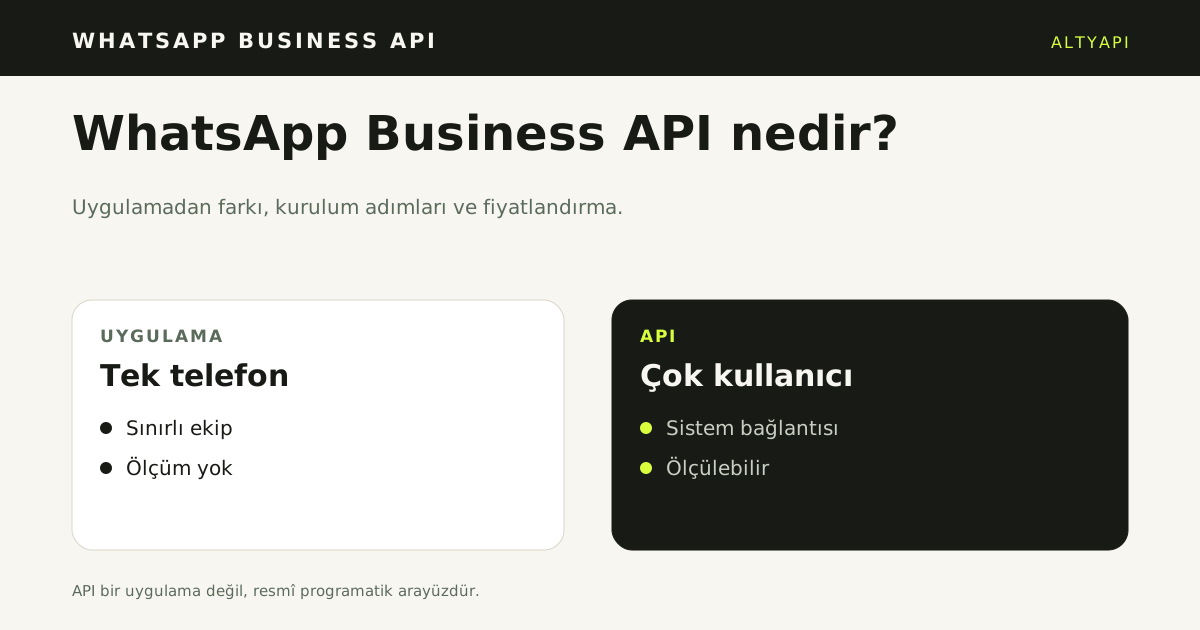
WhatsApp Business API is the official programmatic interface that lets a business send and receive WhatsApp messages through its own systems. It is not an app; it connects a number to a system and opens it to a team.
Where should you start?
When a customer writes on WhatsApp, they expect a reply within minutes. Most businesses try to meet that expectation with the regular WhatsApp app and eventually hit a wall: more than one person cannot use the same number, message history stays on a personal phone, and nothing can be measured. WhatsApp Business API is the point where that changes. This guide explains what the API is, how it differs from the regular app, the setup process, pricing and how to combine it with AI.
What is WhatsApp Business API?
WhatsApp Business API is an official programmatic interface that lets a business send and receive WhatsApp messages through its own servers or software. It is provided by Meta and available only to verified business accounts.
The critical difference is this: WhatsApp Business API is not an app, it is infrastructure. It has no screen. You manage messages through a call-centre panel, your own web application or a customer communication platform. That is how WhatsApp can sit in the same place as your other channels.
Moving from the app to the API is not about “more features”. It is about scalability, automation and measurement. Those three words also frame the questions to ask when making the decision.
How is WhatsApp Business API different from the regular WhatsApp app?
It is important to separate the two products. The WhatsApp Business app is designed for a single phone; WhatsApp Business API is designed to be part of a system.
- Concurrent access: in the app, the number is tied to one device. With the API, several team members can see and answer conversations from the same number.
- Automation: automatic replies in the app are fixed. With the API, an incoming message can be routed to an AI or a business rule.
- Measurement: the API records response time, resolution rate and conversation volume.
- Scale: the app struggles with a few hundred conversations a day. The API can handle thousands.
- Integration: the API can talk to a CRM, e-commerce infrastructure and marketplace panels.
For a small business, the app may be enough. But if dozens of questions arrive every day and they are spread across several people, the app quickly becomes a bottleneck. The move to WhatsApp Business API usually comes at that point.
Which businesses is WhatsApp Business API for?
The right solution is not the same for every business. If any of the following sounds familiar, WhatsApp Business API can deliver a serious gain.
More than 50 questions a day. At that volume, watching a single phone becomes unsustainable. Questions pile up and some are never seen.
The same question arrives again and again. Questions such as “When will it ship?”, “How do I return this?” and “What are your opening hours?” make up a large share of the total. They are very suitable for automation.
The team works shifts. Messages also arrive outside office hours; WhatsApp Business API can answer them automatically.
WhatsApp sits alongside other channels. When questions from the website, marketplaces and Instagram are to be managed in one place, the API makes that possible.
On the other hand, for a business that receives a few questions a day and one person answers them all, the API may be unnecessary complexity.
Which steps set up WhatsApp Business API?
Setup is a technical process, but knowing the steps makes it easier.
- Create a Meta Business account. Open a Business Manager account with your official business details and complete business verification.
- Prepare the number. The phone number you connect to the API must not be in use on a regular WhatsApp account.
- Complete the business profile. The display name, logo, description and category are the first things the customer sees.
- Create message templates. Conversations started by the business require template approval. The approval process can take a few days.
- Set up the technical connection. Define your webhook address and put the endpoint that receives messages into production.
- Test. Send a message from your own number and verify the reply flow.
Most of these steps are one-off. The real work is deciding what will answer incoming messages. When WhatsApp Business API setup is complete, you have a channel; what you fill it with is a separate decision.
How does WhatsApp Business API pricing work?
Pricing is not a fixed subscription; it is conversation-based. Meta divides conversations into categories and charges a different rate for each. Rates vary by country.
The general logic is:
- Conversations started by the customer are usually cheaper.
- Conversations started by the business are split into marketing, utility and authentication; the marketing category has the highest rate.
- Replies within the first 24-hour window follow different rules.
The practical result: the most effective way to lower WhatsApp Business API cost is to reduce unnecessary messages started by the business. If the customer has already written and the question can be answered automatically, the cost falls too. Businesses that work in the opposite direction, constantly starting conversations to push at customers, pay more and burn through their opt-in lists quickly.
How does WhatsApp Business API combine with AI?
The real value of the API appears when you connect incoming messages to an AI. If you prepare a knowledge base from your web pages, PDFs and FAQ text, incoming questions can be answered from that source.
This approach has three practical outcomes:
- Response time falls. A question that arrives at night does not wait until morning; if the answer is in the knowledge base, it is answered immediately.
- The team only looks at conversations that truly need them. Topics where the AI is unsure are handed to a human with the conversation context.
- Consistency improves. A customer writing on WhatsApp and a customer writing on your website receive the same accurate information.
An important warning: the AI must not produce information that is not in the knowledge base. This is critical for verifiable details such as a phone number or address; a wrong number sends the customer to the wrong place. The system must therefore hand the conversation to the team rather than invent an answer when it is unsure.
If you want to manage WhatsApp together with other channels, see the supported channels list and how the platform works. If you run an agency and want to offer this service to your clients, see our agency programme.
Which messages can WhatsApp Business API send?
There are two message types: free-form text in a conversation the customer started, and an approved template outside the 24-hour window. Free-form text is allowed if the customer wrote within the last 24 hours. After that, a template is required; Meta approves its text and variables.
Templates fall into marketing, service and authentication categories. The category changes the price and the approval test. A marketing template needs the customer's explicit opt-in; without it, the send breaks policy and lowers the number's quality rating.
Why is a template rejected?
A template can be rejected for vague wording, a missing variable, a misleading promise or a category mismatch. Keep the text short, single-purpose and measurable. Supply correct sample values for variables. Approval time depends on Meta and is not a delivery commitment.
The WhatsApp Business API inbox and WhatsApp customer questions with AI show where the channel and the answer meet. The API carries the message; the inbox and the knowledge base decide what the customer reads.
Which setup mistakes are common?
The most common mistake is moving a regular WhatsApp number to the API without a backup. The app session closes when the number moves; message history is not transferred. The second is using a short-lived token instead of a permanent one; when it expires, message intake stops silently.
The third is going live before the webhook is verified. If the webhook is not verified, incoming messages never reach the system. The fourth is postponing business verification; some features stay closed until it completes. The fifth is sending templates to a wide audience without testing them first.
What should you check before setup?
Check number ownership, business documents, the webhook address and the token renewal flow in writing. Run a limited trial with a test number; verify message intake and template delivery before moving to the live number. This checklist reduces post-setup downtime.
How does the API combine with AI?
The API only carries messages; it does not produce the answer. AI answers from the knowledge base and the conversation context. The API delivers that answer to the customer. The layers are separate: without the API the message does not leave, and without the knowledge base the answer is not correct.
Write three rules before launch: which questions the assistant answers, when a conversation goes to a person, and which data is logged. When the assistant is unsure, it hands over with a summary. After the handover, the team replies; the conversation can return to the assistant if needed.
How is the knowledge base connected?
The knowledge base holds product, price, opening hours, shipping and return text in one place. The API answer is produced from that source. If the source is not updated, the assistant treats old facts as correct. Name an owner and an approval flow for updates.
How is WhatsApp Business API priced?
Cost has three parts: Meta's conversation fee, the solution partner's (BSP) service fee and the business's own infrastructure. The Meta fee depends on category and country. The BSP fee can be a subscription, a message package or usage-based.
Build the estimate from monthly conversations, category mix and out-of-window templates. Looking only at a monthly package price hides overage and template costs. Check current Meta rates on the WhatsApp Business Platform pricing page [1].
Which cost lines are missed?
Per-template fees, resends, media size and retention are separate lines. The labour cost of conversations handed to a person also belongs in the total. A table that leaves these out does not show the real total.
How are numbers and sessions managed?
The API number uses a different session model from the app. The number is tied to a business account, and several team members access it from the panel. The same number cannot be used in the app and the API at the same time. Back up message history before the move.
Use a permanent token and keep a written renewal calendar. When the token expires, incoming messages can stop silently, so connection status must be monitored. If the number changes, templates and the webhook address must be verified again.
What matters when moving a number?
Back up existing conversations, inform customers and move at a quiet hour. Messages that arrive during the move can be lost; keep an alternative channel open. After the move, verify a test message and a template send.
How is the API measured?
Measure delivered messages, read rate, response time, automated resolution rate, handover rate and repeated-question rate. Sent message count alone does not show what the customer did. Split the report by conversation category and channel.
Keep event-level records: message arrived, assistant replied, handed to a person, resolved. These four events make the funnel visible. In the monthly report, highlight the top three repeated questions and the handover reasons. Those two outputs direct knowledge-base updates.
Which reports mislead?
A report that shows only total message volume misleads. Without channel, category and outcome breakdowns, the automation's contribution cannot be measured. Average response time alone is not enough either; the peak-hour queue must be tracked separately. A weekly review of missing tracking numbers keeps the source clean.
What about KVKK?
Message content, phone numbers and conversation records are personal data. Retention, access rights, deletion requests and cross-border transfer conditions must be written down. Marketing consent must be collected separately and be withdrawable. KVKK's official guidance is the starting point for a data inventory [2].
Which three mistakes are common?
First: treating automation as a replacement for people. WhatsApp Business API and AI exist to reduce repetitive work, not to remove human support. A system without a handover rule will try to answer even when it is unsure.
Second: not keeping the knowledge base current. If the knowledge base is not updated when opening hours change, a new product is added or a campaign ends, the AI treats old information as correct. That is worse than not answering at all.
Third: not measuring. You cannot improve without knowing which questions were resolved automatically and which went to a human. The records the API provides are valuable for this reason.
What should you check before you start?
Clarifying three questions before setup saves time later.
First: what share of incoming questions are repeats? If the share is high, the return from automation will be high.
Second: is your knowledge base ready? AI cannot know information that is not written down. The better organised your web pages and FAQ text, the better the result.
Third: what will your handover rule be? When should a conversation go to a human? If this rule is not defined up front, either the AI oversteps or it sends every question to a person and removes the benefit of automation.
If you have clear answers to these three questions, the rest is WhatsApp Business API setup. If one is still open, clarifying it before you start will save you days, because the technical connection is fast while the right design takes patience; related article: WhatsApp auto reply.
Sources
- [1] WhatsApp Business Platform pricing — Meta — https://business.whatsapp.com/products/platform-pricing — Accessed: 14.11.2026
- [2] Personal Data Protection Law and guidance — KVKK — https://www.kvkk.gov.tr/ — Accessed: 14.11.2026
Frequently asked questions
What is WhatsApp Business API?
It is the official programmatic interface that lets a business send and receive WhatsApp messages through its own systems. It is not an app; it connects a number to a system. Several people and an AI can manage the same conversations.
How is it different from the WhatsApp Business app?
The app is built for one phone; message history stays on the device and measurement is limited. The API supports teams, system connections and measurement. Setup and approval take longer.
How many steps does setup take?
The steps are number verification, business profile, Meta business verification, a permanent token, webhook connection and template approval. Live traffic should not start before every step is complete. A test number allows limited trials.
How does pricing work?
Pricing is per conversation or message and is set by Meta. Marketing, service and authentication categories have different rates. The current list must be checked on Meta’s pricing page.
Why is template approval required?
A business sends the first contact or a message outside the 24-hour window with an approved template. Meta reviews the template text and variables. An unapproved template cannot be sent; the rule limits unwanted messages.