An appointment flow is a sequence of booking, approval, reminder and refill steps. An empty appointment slot costs more than the revenue of that hour. It also breaks the day of the person who was booked, the room that was prepared and the customer who could have taken the slot. Salons, clinics, service teams and consultancies all ask the same question: can we see a missed appointment before it happens? The useful answer is rarely “send a better reminder”. It is build a better appointment flow. This guide covers why people miss appointments, where reminders stand today, how to set up an AI-assisted appointment flow, what it cannot do, and which numbers actually tell you whether it works.
Quick answer
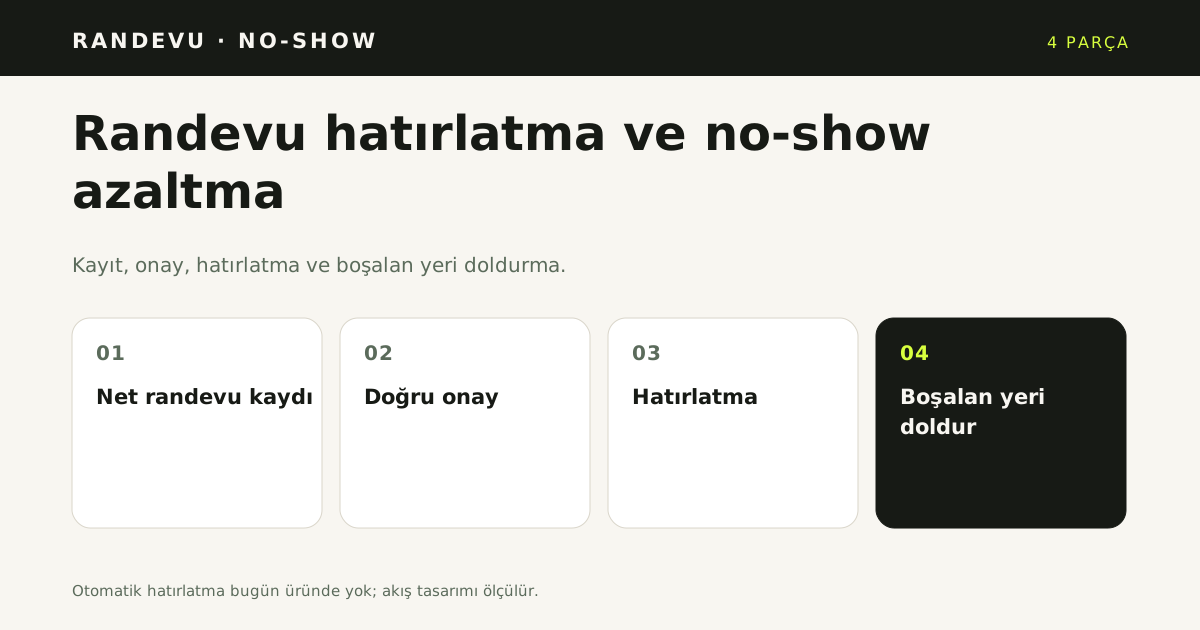
An appointment flow has four parts: a clear booking, an approval rule, a reminder and a way to refill the slot. The assistant handles booking, approval, the double-booking lock, the waitlist and the daily schedule. Automatic SMS, WhatsApp or email reminders are not in the code yet; run them yourself for now.
Why people miss appointments
A no-show is not a single behaviour. The same empty chair can have several causes, and each cause needs a different response:
- Forgetting. The date and time were recorded correctly, but the appointment disappeared into a busy week.
- Uncertainty. The customer does not know which branch, entrance or person to go to.
- An unconfirmed booking. The appointment was captured as a request, while the customer believed it was confirmed. The business was still waiting to approve it.
- A change of plan. The customer knows they cannot come but does not want to call, message or fill in a form to cancel.
- Price or duration surprise. An extra fee or a longer session than expected makes the customer back out.
- Travel and delay. Traffic, parking or public transport does not go to plan, and the customer decides it is too late to arrive.
- A wrong contact detail. If the phone number or email is wrong, the reminder never arrives. A reminder that never arrives is the same as no reminder.
- Fear of waiting. A customer who waited too long last time assumes the same will happen again.
The lesson is that a reminder only addresses forgetting, and partly uncertainty. Unconfirmed bookings, price surprises, easy cancellation and refill capacity are flow design problems. Measure which cause dominates in your business before you choose a fix.
Why is a reminder not an appointment flow?
A reminder is one message sent before an appointment. An appointment flow is the whole chain: service and resource setup, available slots, the approval rule, the calendar entry, the information given to the customer, cancellation and rescheduling, the waitlist and the daily schedule.
If a business adds a reminder but never builds the flow, several questions remain open. Who receives the reminder? Which contact detail is correct? Is the booking confirmed or still a request? How does the customer cancel? Who gets the freed slot? Without answers, a reminder is just a message sent to the wrong person at the wrong time.
In YanıtLabs, appointments are an add-on. When the add-on is off, the voice route redirects and panel or automation writes are blocked. Setting up the flow is therefore not just writing a message template; it means turning on the add-on and choosing the approval rule deliberately. The appointment feature page lists what the assistant does and where it stops.
What does the product do today, and what does it not do?
An honest setup starts with the parts you already have. The appointment add-on currently includes:
- Basic and Pro packages. Basic covers 3 calendars. Pro covers 10 calendars plus Google Calendar and Microsoft Outlook connections. An extra calendar is 190 TL. List prices are 990 TL for Basic and 1,990 TL for Pro, excluding VAT; see the pricing page for the current list.
- An organisation-wide approval rule. A booking can be confirmed automatically or sent to the business for approval. The rule applies to the whole organisation; there is no per-service approval field.
- A double-booking lock. A transaction locks on resource and start time, then recalculates availability under the lock. It is designed so that two people cannot be given the same slot.
- A waitlist. States are Waiting, Called, Assigned and Cancelled. “Assign from waitlist” works only for a no-show or cancellation and an empty slot.
- A daily schedule email. It goes out in the 07:00 window only when the organisation setting is on, and it is not sent twice on the same day.
- Privacy-aware cancellation. If the contact detail does not match, the cancellation does not happen. Signed-in staff are exempt. The external calendar event is deleted and the waitlist is notified.
- Masked phone numbers. The panel shows a number as +90 532 * 33 rather than in full.
What is not there is just as important:
- No automatic appointment reminder. There is no 24-hour or 2-hour SMS, WhatsApp or email reminder in the code. Only the daily schedule email exists. Reminders are marked “Coming soon”, with no date promised.
- No deposit or no-show policy. Taking a prepayment, charging a no-show fee or applying a policy automatically is outside this add-on.
- No multi-service sessions. For example, colour, cut and blow-dry cannot be combined into one booking.
- No walk-in queue, staff commission or product formula.
- No ready-made reservation-software connector. A PMS or booking-system integration is assessed on request, and only for products whose public API has been verified.
- No combined doctor-and-chair check in a clinic. A single appointment cannot require both doctor and chair (AND), and treatment series, insurance or package fields are absent.
- No room-night inventory for hotels. A hotel booking is request-only; the product does not promise “available” or a price guarantee.
Do not hide these limits in a sales conversation. When a customer asks whether reminders are automatic, the accurate answer is: “Not today; reminders are coming soon. Right now there is a daily schedule email and a manual reminder process.”
Which five steps build the appointment flow?
1. Which service and resource do you define?
Start with the duration of the service and the person, room, chair, device or table that delivers it. Enter working hours and holidays. The default slot is 15 minutes; service duration and pre/post buffers are calculated against that slot. If the resource is wrong, even a perfect reminder will point to the wrong time.
2. Which approval rule do you choose?
There are two modes: automatic approval or business approval. In automatic mode, a suitable request from an external channel is confirmed immediately. In business-approval mode, the request first enters a request queue and becomes final when you approve it. A booking entered in the panel, and an “assign from waitlist” action, are confirmed regardless of the approval mode.
This is a decision for the whole organisation, not for one service. That is why the customer must hear the same language every time. If you choose business approval, say “your request has been received; we will call to confirm”. If you choose automatic approval, say “your appointment is confirmed”.
3. How do you connect the calendar and prevent collisions?
Google Calendar and Microsoft Outlook connections are part of the Pro package. When connected, busy times in the external calendar are read, and the calendar is read fresh immediately before creation so a slot the business has just closed is not written. The double-booking lock is there to stop two simultaneous requests for the same resource and start time from both being confirmed.
In the Basic package the panel shows “Pro plan required” and the connect buttons are disabled. When the calendar quota is full, the panel says the allowance is full and offers an extra calendar. Plan for that limit at setup rather than discovering it later.
4. How do you prepare the channels and knowledge base?
An appointment request can arrive from WhatsApp, the website chat, Instagram DM or the phone. The channels page shows which channels are available. For the assistant to answer reliably, these facts need to be written down and current:
- Address, branch and directions
- Opening hours and holidays
- Service list, durations and any price range
- Preparation before the appointment (fasting, documents, arrival time)
- Cancellation and rescheduling rules
- Parking, entrance and contact details
The knowledge base is a single source. WhatsApp, the web widget and Instagram all read from it, so the website cannot say 10:00 while WhatsApp says 09:30. Critical facts such as price, cancellation and warranty should pass an approval step before they become answers.
5. How do you run the waitlist and daily schedule?
The waitlist is the most practical way to refill a slot. When someone does not arrive or cancels, call the waiting customers and assign the empty slot. “Assign from waitlist” works only for a no-show or cancellation and an empty slot, which prevents a waitlist entry from being written into a slot that is already taken.
The daily schedule email helps the team see the day’s appointments in the morning. It is sent in the 07:00 window only when the organisation setting is on. It is not a customer reminder; it informs the business. Even so, it is valuable for operations: it answers “who is coming today?” on one screen.
Which channel should send appointment reminders?
SMS, WhatsApp and email are the three practical reminder channels. SMS reaches the widest audience; WhatsApp has higher open rates but needs templates and approval; email carries more detail but is checked less often. Choose by how your customers already communicate, not by what is easiest to send.
Do not rely on one message. A reminder 24 hours before, a confirmation 2 hours before and a one-tap cancel link are the three parts that reduce no-shows. Google Calendar's event reminder settings show the logic [1]. The product does not send automatic reminders today; run these steps through your own channel or team.
What should an appointment reminder message contain?
A reminder should contain the date, time, service, address and a cancel link. Add the customer name and appointment number, but no unnecessary personal data. Keep it short and ask for one action: confirm, reschedule or cancel. That clarity makes a reply more likely.
An appointment reminder is only one part of the appointment flow. Review appointment no-show reasons monthly and update the appointment message and the appointment waitlist. Compare the flow with handling appointment calls with an AI assistant and the appointment assistant; both should use the same knowledge base and handover rule. Read what WhatsApp Business API is for the connection steps and template rules. The same WhatsApp knowledge base should serve web chat and email, so the answer does not change when the customer switches channel. Personal data processing falls under KVKK [2].
How to run reminders until automation arrives
Because automatic reminders are not available today, a person or your own channel has to send them. Treat this as a measurable process, not as a temporary chore:
- Get the daily list. Open the daily schedule email or the calendar in the panel each morning.
- Choose two points in time. For example, one day before the appointment and on the morning of the appointment. These intervals are your operational choice, not an automatic product feature.
- Use one message template. Include the date, time, address, service and a line saying “if you cannot come, let us know at this number”.
- Record the reply. Mark “coming”, “cannot come” and “reschedule” on the booking. If there is no reply, call.
- Connect cancellation to the waitlist. Offer the freed slot to the next waiting customer and assign it in the panel.
- Keep consent and a record. Check communication consent before sending, and record who was contacted and when.
The same rules will apply when automatic reminders arrive. What matters is not who sends the message, but that the right person receives the right information at the right time.
Which limits must you state honestly?
- Automatic reminders are not available; they are marked “Coming soon” with no date.
- Deposits, prepayments and a no-show policy are not part of the add-on. Do not say the product applies them automatically.
- Multi-service sessions, walk-in queues, staff commission and product formulas are absent.
- A clinic cannot require doctor and chair together; treatment series and insurance or package fields are absent.
- A restaurant flow is an approximate table book; table combining, turn time and a guaranteed table are absent.
- A hotel flow collects a request only; room-type and night inventory, check-in/out and pricing are absent.
- There is no ready-made PMS or reservation-software connector; integration is assessed on request.
- Google and Outlook connections are Pro-only; Basic has the connect buttons disabled.
- Cancellation is blocked when the contact detail does not match. That is a privacy safeguard, not a bug.
These are not a list of missing features. They are the boundaries of correct use. Build the flow within them and the promise you make to a customer will match what the system actually does.
What to measure
To reduce no-shows, measure first. Saying “it went down” without a definition describes an impression, not an improvement. Six measures are enough to start:
- No-show rate: missed appointments divided by confirmed appointments. Write down what counts as “missed” (for example, 15 minutes after the start).
- Late-cancellation rate: the share of appointments cancelled less than 24 hours before the start.
- Reminder reach rate: of the reminders sent, how many reached someone and how many replied. If the process is manual, keep this in a separate list.
- Waitlist fill rate: how many freed slots were filled from the waitlist.
- Time to fill: the time between a cancellation and a new assignment.
- Channel mix and approval wait time: where the request came from and how long it took the business to approve it.
Split these by service, staff member and day. Do not decide on one week of data; take at least two weeks of baseline before a change. Do not mix seasonality, campaigns and holidays into the same comparison. Derive the target from your own baseline, not from a vendor promise.
Which five mistakes are common?
One: selling a reminder that does not exist. There is no automatic 24-hour or 2-hour reminder today. Saying “coming soon” prevents a later loss of trust.
Two: leaving the approval rule unclear. Automatic approval and business approval are not the same. Know which mode you are in before you tell a customer the appointment is confirmed.
Three: never opening the waitlist. Without a waitlist, a freed slot is just an empty slot. Set up the list and teach the team the “assign from waitlist” flow.
Four: blaming the customer for every no-show. Late approval, an incomplete address, an unreachable phone and an unclear cancellation path also create no-shows. Inspect the flow before you inspect the customer.
Five: measuring without a definition. “No-shows went down” says nothing if the rate, period and segment are not written down.
Which items belong on a short checklist?
- Are service, duration, resource, working hours and holidays defined?
- Is the approval rule chosen and explained to customers in the same language?
- Does the calendar connection match the package limit?
- Are address, hours, preparation and cancellation facts current in the knowledge base?
- Is the waitlist open, and whose job is “assign from waitlist”?
- Is the daily schedule email on, and who reads it each morning?
- Are the manual reminder template and its two time points defined?
- Are cancellation and rescheduling replies written back to the booking?
- Are the no-show definition and the six measures written down?
- Do the team and the sales conversation both say “automatic reminders are coming soon”?
Bottom line: which step comes first?
There is no magic switch for no-shows. What works is how the appointment is captured, how it is confirmed, what the customer is told and how the freed slot is refilled. An AI assistant can take over the repetitive parts of that chain; decisions, exceptions and policy stay with people. If automatic reminders are not available today, saying so plainly builds more trust than pretending the feature exists.
Start with the appointment feature page, check which channels fit on the channels page, and see add-on and plan prices on the pricing page. To try it in your own business, the signup page starts a 14-day trial; related article: beauty salon appointment automation.
Sources
- [1] Event reminder settings — Google Calendar Help — https://support.google.com/calendar/answer/10729749 — Accessed: 14.11.2026
- [2] Personal Data Protection Law and guidance — KVKK — https://www.kvkk.gov.tr/ — Accessed: 14.11.2026
Frequently asked questions
Are appointment reminders automatic?
No. Automatic 24-hour or 2-hour SMS, WhatsApp and email reminders are not in the product today; they are marked coming soon. The assistant takes the appointment, writes it to the calendar and keeps a waitlist. Run reminders through your own channel for now.
How do you reduce no-shows?
A clear booking, a clear approval rule, a reminder and a way to refill the slot work together. Give the customer the date, time, address and a cancel path. Keep a waitlist for a cancelled slot.
Which steps build an appointment flow?
Define the service and resource, choose the approval rule, connect the calendar, prepare channels and the knowledge base, then run the waitlist and daily schedule. Every step must be written down. A missing step produces collisions or forgotten appointments.
How do you choose the approval rule?
An appointment can be approved automatically or left for the business to approve. Manual approval is safer for busy and high-risk services. The rule lives in the add-on settings and applies the same way across channels.
Which metrics should you track?
Track no-show rate, cancellation rate, waitlist conversion, average response time and handling time per appointment. Reminder count alone does not show the result. Split the metrics by reason.