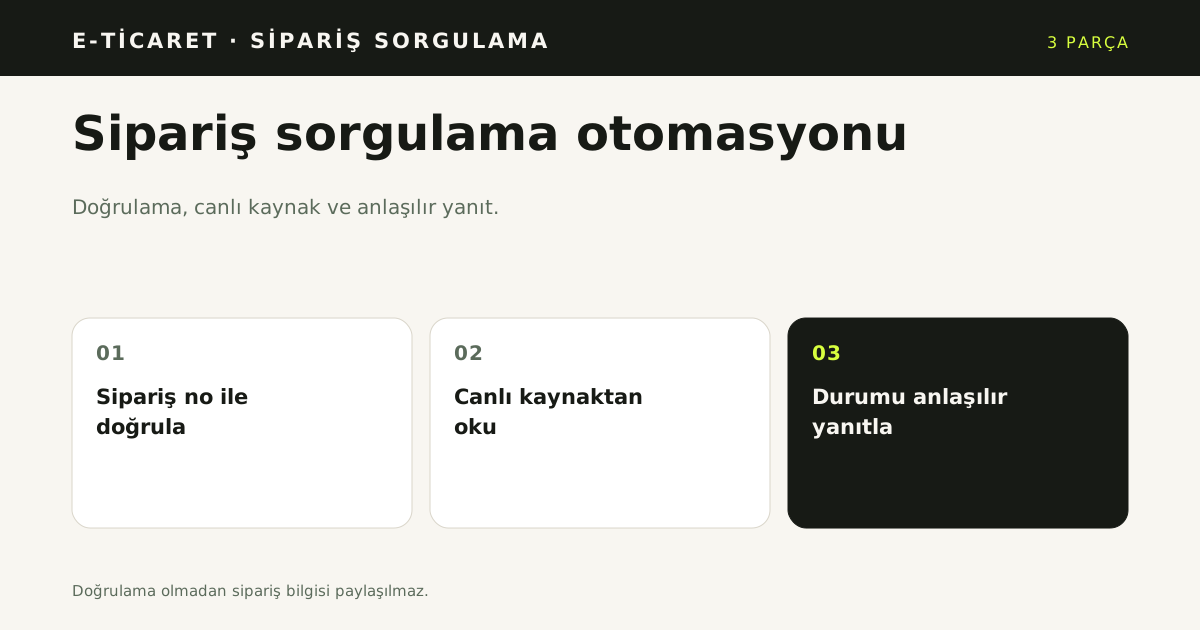
Order tracking automation is a flow that verifies the customer, reads the order from a live source and answers with a clear status. "Where is my order?" is one of the most common e-commerce questions. The answer usually sits on a carrier tracking page, but the customer has to find that page, remember the order number and click the right link. This guide covers verification, live order sources, personal data and measurement when you automate order tracking.
Quick answer
Order tracking automation has three parts: verification with an order number, a live connection to the e-commerce or marketplace system, and a clear answer. Never reveal order information without verification; otherwise one customer could see another customer's order status.
Why the question repeats
After checkout, customers do not want to keep returning to the same page. They want a simple way to see shipment movement, the delivery date or how to start a return. This is a large and repetitive part of post-sales support.
Repetition makes it a good automation candidate. But order data is personal data, so it cannot be answered publicly.
Why verify before revealing anything?
The default verification is the order number. A business can add a second check with the last four digits of the phone, the full phone number or email. Whichever method is chosen, the platform applies the strictest of the adapter rule and the tenant setting.
When verification fails, "order not found" and "verification failed" should produce the same message. Otherwise the existence of an order number leaks. Attempts in the same session should be limited; after three failures, hand over to a human.
Which systems connect
Order status must come from the system that holds the order. YanıtLabs lists these order sources with their status:
- Trendyol
- Hepsiburada
- WooCommerce
- ikas
- Shopify (Beta)
- Ticimax (Beta)
- IdeaSoft (coming soon)
Credentials are stored encrypted and are not returned to the panel. "Test connection" performs a live read without saving, so a wrong credential is caught before go-live.
Why are live price and stock separate?
Order tracking is not a product catalog. Today, live price and stock answers come only from the ikas catalog. Other platforms except IdeaSoft support order status; Shopify and Ticimax are Beta and have not been tested end-to-end on a live store. Price and stock need a separate catalog connection. Say this boundary clearly in a sales conversation.
What are the personal-data and logging limits?
Order content is shown only after successful verification. Phone and email are not sent to the model or written to logs. On voice, email is never asked; the caller's number comes from the channel. This matters for privacy and for collecting only what is needed.
Which six steps set it up?
- Choose the order source. Trendyol, Hepsiburada, WooCommerce, ikas, Shopify (Beta), Ticimax (Beta) or IdeaSoft (coming soon).
- Enter credentials. Keys from the marketplace or store panel are stored encrypted.
- Test the connection. Do a live read without saving.
- Choose the verification rule. Order number, last four phone digits or email.
- Write the answer. Shipping status, estimated delivery and return link.
- Define handover. After three failures, go to a human.
What to measure
- Automated resolution rate: order questions closed without a human.
- Verification success rate: how often customers enter the right order number.
- Human handover rate: which cases need a person.
- Repeated-question mix: shipping, returns, exchanges and delivery.
These measures show which step to improve. If verification success is low, the guidance for finding the order number is weak.
Which channels run order tracking automation?
Order tracking automation answers on WhatsApp, Instagram DM, web chat and voice from the same order source. The verification rule, order status and return link stay the same across channels; only tone changes. A customer should not get a different status because they switched channel.
On voice, verification uses the order number and never asks for an email. On written channels, the last four digits of the phone number can be a second check. The difference follows the channel, not a lower security bar. The caller ID can serve as a second check on voice.
Where does a return question go?
A return is a separate flow. The assistant explains the return rule from the knowledge base; it does not create a return record. It verifies the order, states the window and the carrier rule, then hands the conversation to the team that performs the return. This keeps a record from being opened in the wrong system.
Order status and product price are also separate sources. An order source returns status and shipping data; live price and stock need a catalog connection. Read order questions on Trendyol for the marketplace side and order tracking for the product boundary. Personal data processing and retention fall under KVKK [1]. KVKK guidance is the starting point for a data inventory and a retention period.
What should the order source expose?
The source should expose order number, status, carrier and tracking number, and nothing more. Address, payment and card data are not read. The assistant shows the result only inside a verified conversation and does not write the full order body to logs. A read-only connection cannot change status, open a return or print a label. Any status change stays a task for an authorised person in the store panel.
Map the source fields before connection: order number, status code, carrier, tracking number and last update time. Marketplace and store field names differ, so a mapping table is required. The table also defines what is not shown when verification fails. Test the connection live without saving, so a wrong credential is caught before launch. A mapped source keeps the answer stable when the store changes its status labels. A weekly review of missing tracking numbers keeps the source clean.
What limits remain?
Order tracking automation reads status; it does not cancel an order, change an address or approve a return. Those actions need the business's own process and an authorised team. Writing the boundary down front prevents wrong expectations.
Sources
- [1] Personal Data Protection Law and guidance — KVKK — https://www.kvkk.gov.tr/ — Accessed: 14.11.2026
Frequently asked questions
What is order tracking automation?
It verifies the customer with an order number, reads the order from a live source and answers with the current status. No order information is revealed before verification. The shipment status comes from the store or marketplace record.
How is order verification done?
The default check is the order number. A merchant can add the last four digits of the phone number or an email as a second factor. After three failed attempts the conversation goes to a person. A failed check never confirms that an order exists.
Where does shipping data come from?
From the connected order source: Trendyol, Hepsiburada, WooCommerce, ikas, Shopify or Ticimax. If the store has no tracking record, the assistant does not invent a number; it states the current status and hands over. Live price and stock need a separate catalog connection.
When does it hand over to a person?
When the customer asks for a human, verification fails three times, or the request needs a return or dispute action. The handover summary carries the order number and the request. The assistant does not create a return record on its own.
Which channels run order tracking automation?
WhatsApp, Instagram DM, web chat and voice all read the same order source. The verification rule and order status are shared; only tone changes per channel. On voice, no email is requested and the caller number can be a second check.